Interview Transcription
Keep the question, the answer and the evidence together. Upload an interview, review the words, then prepare a sharing copy.
MP3, WAV, M4A, MP4, FLAC, OGG · Up to 500 MB
What is interview transcription?
Interview transcription turns a recorded conversation into a written record that you can check, quote and code. Upload your source file here to get timed text, edit uncertain passages and export a reviewed copy. Paid minutes include speaker labels that you can rename. The interview workspace also replaces names or phrases in your local sharing copy; it does not remove identifiers from the original audio or the transcription provider’s stored result.
How to transcribe your interview
- STEP 1
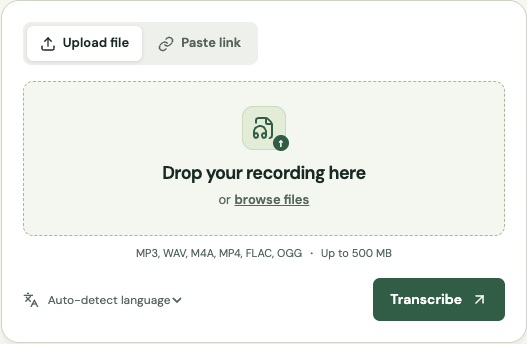
Choose the original interview
Save the recorder or meeting export locally. Listen to the quietest answer and check both ends of the file. Keep a separate untouched master, record who took part, and confirm that your permissions cover transcription and your intended sharing audience.
- STEP 2
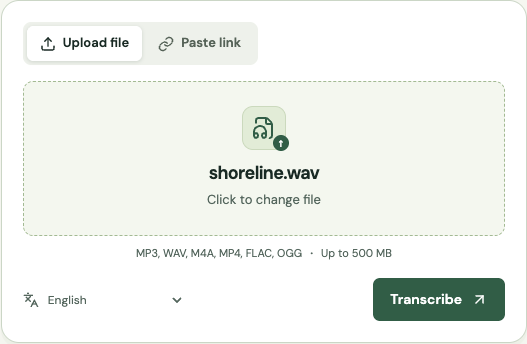
Transcribe with the right language
Upload the file and choose the spoken language, or use automatic detection. Guests can test a short passage within their remaining trial. Use paid minutes when you need speaker labels, longer interviews or repeated research sessions.
- STEP 3
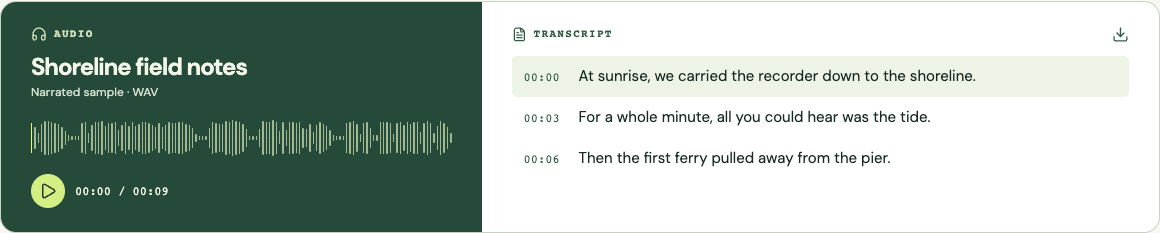
Review quotes and identities
Use timestamps to find the source passage in your own player. Correct the cue text before quoting it. Rename speaker labels after listening, then apply exact-phrase redactions if you need a sharing copy. Check the surrounding question as well as the answer.
- STEP 4
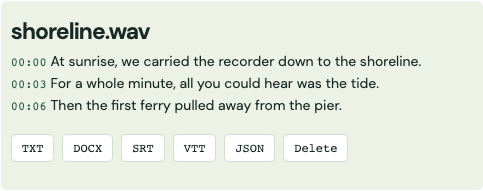
Export and document your edits
Download DOCX for editorial review, TXT for qualitative coding or JSON for a structured record. The workspace keeps edits only in the current tab, so save before navigating away. Record your redaction choices separately from the shared transcript.
Screenshots show the shared transcription workflow with a sample recording.
The hard part: preserving what the interviewee meant
A transcript can contain the right words and still support the wrong interpretation. A short answer such as “that worked” may refer to a pilot, an earlier employer or a proposal the interviewer has already ruled out. Read the question and the preceding exchange before lifting the sentence into a report. Keep enough context for another reviewer to understand what the speaker was answering. A time reference is a route back to evidence, not proof that an interpretation is correct.
Decide how literal the document needs to be before editing. A readable interview might omit repeated fillers, while a discourse study may depend on hesitation, repetition and unfinished sentences. Automatic transcription is not a detailed conversation-analysis notation system. It may normalize punctuation or omit nonverbal events. If pauses, laughter or interruptions are central to your method, add those observations from the recording using a consistent notation and describe that method in your research notes.
Names, numbers and negatives deserve a deliberate review pass. “Did” and “did not” can reverse the meaning of a finding. A participant may correct a number later in the same answer, so do not simply choose the first amount the software recognized. Build a small spelling list from the project brief, then verify it against the audio. Keep uncertain wording marked as uncertain instead of silently replacing it with the phrase you expected to hear.
Speaker labels are a starting point, not verified identities
Paid interview transcription includes automatic speaker labels. Those labels distinguish voices; they do not establish a person’s name, role or consent status. Listen to introductions and several later turns before renaming Speaker A or Speaker B in the workspace. A short interjection may be assigned to the wrong person, especially when voices overlap. Correct the passage using the recording and retain an uncertainty note when you cannot identify the speaker confidently.
Keep separate microphone tracks when your recorder offers them. This service processes a mono speech track, so channel position is not preserved as a reliable identity signal. If two interviewees answer simultaneously, the resulting words may be incomplete even when speaker labeling is enabled. A human reviewer with the original separate tracks may be able to resolve the exchange. No label-setting control can reconstruct speech that the microphone never captured.
Use timecodes that survive the research handoff
A useful quote reference includes the source filename or interview identifier and a timestamp, for example Interview-07, 00:12:38. The timecode should refer to the exact file your team will open. If you trim the introduction before upload, its first second becomes zero in the generated transcript. Record that offset in your project log or keep a matching trimmed reference file. Otherwise a reviewer may search the correct master recording at the wrong point.
The TXT and DOCX exports from this workspace include cue timestamps. JSON retains start and end values in milliseconds for software workflows. SRT and VTT are useful when a reviewer wants synchronized captions, but a subtitle cue is not necessarily a complete thought. When quoting across several cues, review the entire passage and state a start time that leads the reader to the beginning of the relevant answer.
Prepare an anonymized copy carefully
The redaction control replaces the exact names or phrases you enter, ignoring letter case. Add one item per line, apply the replacements, then inspect the edited cues and speaker labels. This is a local editing operation, not a promise of complete anonymization. It will not infer that “my manager at the only clinic in town” identifies the same person as a full name, or find a name that was misspelled during recognition.
Review indirect identifiers such as a rare job title, neighborhood, date of an incident or a distinctive personal history. Combining several ordinary details may identify someone even when names are gone. Keep the key that maps participant codes to real names outside the shared document. Download the redacted export with an unambiguous filename, and check that you did not attach an earlier unredacted copy. Delete the finished provider result when your own retention process allows.
Move an interview into qualitative research software
For NVivo or another qualitative analysis tool, start with a short TXT or DOCX export and test your intended import workflow before processing a whole study. Importing text as a document is different from linking a timed transcript to an audio source. The latter may require a particular table or timestamp layout in your installed version. This website does not advertise a native NVivo project export or guarantee that every cue format will map automatically.
Use stable participant codes and interview filenames across the recording, transcript and analysis project. Save the reviewed source separately from coding annotations so you can revisit the evidence without mixing it with your interpretation. If a colleague edits the transcript after coding has begun, record what changed and check whether the affected references still point to the intended passage. That small versioning habit prevents difficult reconciliation work later.
Compare transcription approaches
| Approach | Useful for | What to plan for |
|---|---|---|
| Human transcription | Complex overlap, specialist notation and sensitive quotation review. | Requires a clear brief and a separate review/permission process. |
| General automatic tools | A fast first draft from ordinary recorded speech. | Check whether they preserve timestamps and export editable text. |
| Local transcription software | Teams that need processing on their own computers. | You manage installation, model quality, hardware and file security. |
Continue with your recording
Use the online audio transcription tool for other supported formats, or compare paid minutes and features before processing a longer file.
Maintained by Get Audio Transcript · Updated
Common questions
Can I transcribe a research interview for free?
You can try up to 15 cumulative guest minutes while shared capacity is available. Speaker labels require paid minutes. Use a permitted, non-sensitive sample to check whether the workflow fits your study.
Is the output verbatim?
It is an automatic draft, not a certified verbatim record. Review fillers, pauses, interruptions and every quote against the recording; add notation that your research method requires.
Does redaction remove names everywhere?
It replaces only the phrases you enter in the current browser copy, including matching speaker labels. It does not alter audio or the provider copy, and indirect identifiers still need review.
Will speaker names appear in exports?
Names you assign in the workspace are included in its timestamped exports. Keep participant codes instead of real names when you are preparing a research sharing copy.
Can I use it with NVivo?
Export TXT or DOCX for a document import. Timed audio-linked transcript imports can require a version-specific format; test a small file first. Native NVivo project export is not provided.