Podcast Transcription
Give every episode a readable companion. Review the conversation, prepare show notes and export timed text.
MP3, WAV, M4A, MP4, FLAC, OGG · Up to 500 MB
What is podcast transcription?
Podcast transcription turns an episode’s spoken audio into a readable, timestamped document. Upload your finished recording to generate text, check speaker turns and download a transcript or subtitle file. Paid minutes include editable speaker labels. Paid recordings can generate AI show notes with an episode description and proposed timestamped chapters. A free local draft uses sampled excerpts instead. Review topic boundaries, names and resource links against the final episode before publishing either output.
How to transcribe your podcast
- STEP 1
Choose the episode you will publish
Use the final speech edit when possible. If an intro, advert or segment will be removed, finish that edit first so transcript timestamps match the listener’s timeline. Keep separate microphone tracks as references when guests overlap.
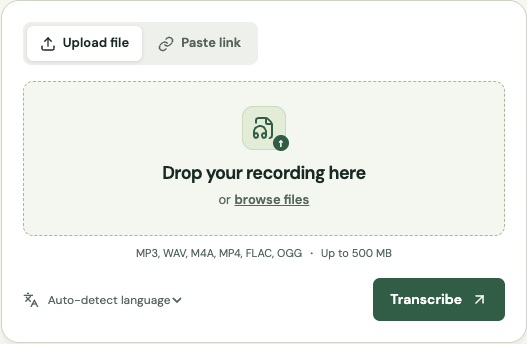
- STEP 2
Upload and set the language
Choose the episode file or a direct downloadable audio link. A Spotify or Apple Podcasts episode page is not a direct media file. Select the spoken language and start transcription within your available minutes.
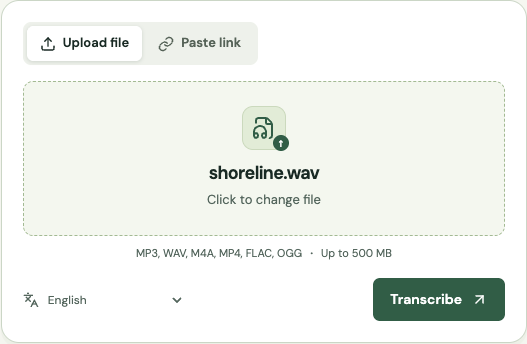
- STEP 3
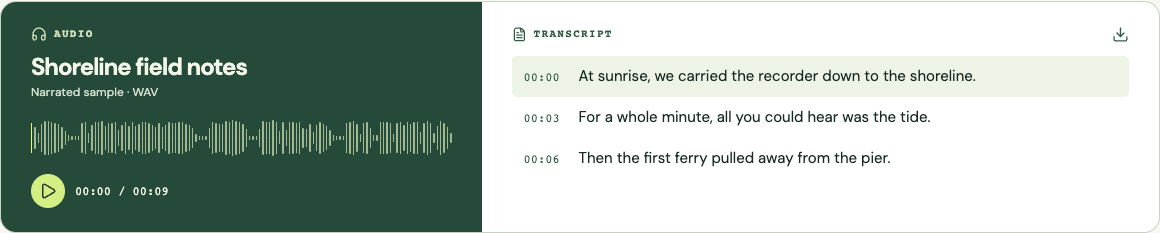
Review voices and uncertain words
Correct names, sponsor terms and URLs in the cue editor. Paid speaker labels can be renamed after checking the voices. Listen to interruptions and rapid exchanges rather than assuming every sentence belongs to the label beside it.
- STEP 4
Prepare notes and publishing files
Generate AI notes for a paid recording, or create a local excerpt draft. Review chapter titles and timestamps, then add verified resources. Download the notes separately from your transcript. Choose VTT or SRT when your publishing platform accepts timed text, then preview the uploaded file there.
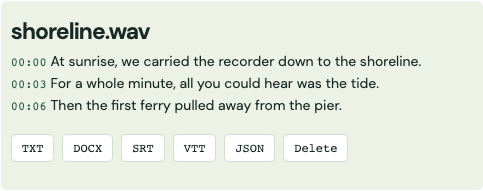
Screenshots show the shared transcription workflow with a sample recording.
The hard part: two voices, overlap and a changing mix
A podcast conversation rarely follows tidy paragraph boundaries. One guest interrupts, the host laughs over a name, and a remote connection changes halfway through an answer. Automatic speaker labels can help you navigate the draft, but they are not a guarantee that every interruption is assigned correctly. Check the beginning of each voice and several exchanges later in the episode. Rename labels only after that review; matching a voice to a real person is your editorial decision.
Keep isolated microphone tracks when your recording software provides them. This service normalizes the submitted audio to mono for speech recognition, so it does not preserve a left-channel guest and right-channel host as separate sources. If a phrase is masked by cross-talk, listen to the original isolated tracks in your editor. You may need to repair the transcript manually. A cleaner final mix helps, but aggressive processing can also make quiet consonants harder to hear.
Accents and unfamiliar names are separate review problems. An accent may affect several phrases throughout the conversation, while a product name can be wrong every time despite otherwise clear audio. Ask the guest for the spelling of names and technical terms before the recording when practical. Check the first occurrence, then search your exported document for repeated variants. Never replace an uncertain word solely because it fits the episode’s theme; replay the surrounding sentence.
Turn a transcript into useful show notes
The local notes draft samples timestamped transcript cues across the episode. It gives you starting points, not detected chapter boundaries or an automatically researched description. Paid recordings offer a separate AI notes option that proposes topic chapters and a description from the original provider transcript. Local edits are not sent to that model; correct the generated notes before exporting. Play the surrounding passage and move each timestamp to the real topic transition. Replace an excerpt with a short title that tells listeners what they will hear. Remove samples that fall inside an advertisement, a repeated answer or an unfinished thought.
Write the episode description after you have reviewed the central conversation. Identify the question the episode addresses, the guest’s relevant perspective and a few concrete topics. Avoid promising an answer that the guest only speculated about. A resource list should contain URLs you have actually opened and checked. Spoken domains are easy to misrecognize, and an automatic transcript should never become the only evidence for a sponsor link or a recommended resource.
Keep notes and transcript as separate deliverables. The notes invite a listener into the episode and help them navigate; the transcript preserves the conversation for reading and search. Editing a transcript into promotional copy can remove caveats that matter to a quote. Save the reviewed full text first, then create the shorter description and chapters. The notes editor exports TXT or DOCX without using additional transcription minutes.
Prepare timed text for Spotify and Apple Podcasts
Spotify documents SRT and VTT as accepted transcript formats for creators who have access to transcript management. Availability and controls can depend on the account and episode, so check the current Spotify for Creators guidance before planning your publishing workflow. Export the reviewed file here, then upload and preview it on the destination platform. This service does not publish to Spotify or connect to your creator account.
Apple Podcasts supports supplied transcripts through its documented workflows, including VTT or SRT uploads for subscriber episodes and settings for host-provided transcripts. Follow the current Apple guidance for your show and hosting arrangement. A valid subtitle file is only one part of delivery: the episode, language and timeline must also match. Keep a local copy of the file you submitted so you can identify whether a later discrepancy came from your export or a platform-generated transcript.
Match captions to the final episode timeline
Transcribing a rough cut and then shortening the introduction shifts every later caption. The same problem appears when an editor inserts music, changes playback speed or replaces a midroll advert. Generate timed text from the final media when possible. If your host dynamically inserts adverts, consider how its transcript display handles those changes. Do not assume that a timestamp from the source master will always match every listener’s delivered version.
SRT and VTT cues are deliberately short enough to synchronize with playback; they are not full editorial paragraphs. Review cue breaks where a name, number or sentence crosses a boundary. For a website reading copy, use TXT or DOCX and format paragraphs for readability while keeping enough time references to locate quotes. For a video podcast, preview captions on the actual video player, including narrow screens where long speaker names can crowd the text.
Build a repeatable episode review routine
Use the same sequence for each episode: review speaker identities, check names and numbers, inspect overlapping speech, verify links, and compare the opening and closing timestamps with the final recording. Then save the transcript, caption file and notes under the episode identifier. A consistent naming convention is more useful than trying to remember which download was the final one. Include a revision number when a guest requests a factual correction after publication.
For a weekly show, Plus supports batch uploads and shares one minute balance across the queued files. Each file still has its own size and duration limits. Studio adds API access for a custom production workflow. A guest trial can help evaluate a short difficult exchange before committing a whole episode, but it does not include speaker separation. Download completed results promptly and retain your own production archive; this site is not long-term episode storage.
Compare transcription approaches
| Approach | Useful for | What to plan for |
|---|---|---|
| Human transcription | Detailed editorial decisions, difficult overlap and specialist names. | Provide the final edit, a spelling list and a style brief. |
| General automatic tools | Fast drafts of clear conversations. | Check speaker labeling, subtitle exports and retention before choosing. |
| Local/free transcription | A production machine with enough compute and a privacy requirement. | You handle installation, file management and publishing preparation. |
Platform documentation
Platform permissions and publishing controls can change. Confirm the current requirements before downloading or publishing.
Continue with your recording
Use the online audio transcription tool for other supported formats, or compare paid minutes and features before processing a longer file.
Maintained by Get Audio Transcript · Updated
Common questions
Can I paste a Spotify or Apple Podcasts link?
Episode webpages are not supported imports. Upload your own audio file or a direct HTTPS media URL that permits browser downloads.
Does it automatically create chapters?
AI notes for paid recordings propose timestamped topic chapters. Review the boundaries and titles before publishing. The free local draft contains evenly spaced excerpts instead, which you must turn into chapters yourself.
Can I get speaker names?
Paid transcription generates speaker labels. You can rename them in the workspace after listening to the episode. Labels do not automatically establish a guest’s identity.
Which format should I upload to my podcast platform?
Check the destination’s current guidance. Spotify transcript management accepts SRT or VTT for eligible creators; Apple also documents supplied transcript workflows. Preview the actual file after uploading.
What if an episode includes music?
Use a speech-focused mix if you have one, and verify words near music or sung vocals. The tool is designed for spoken transcripts, not reliable song-lyric extraction.