 STEP 01
Choose your source
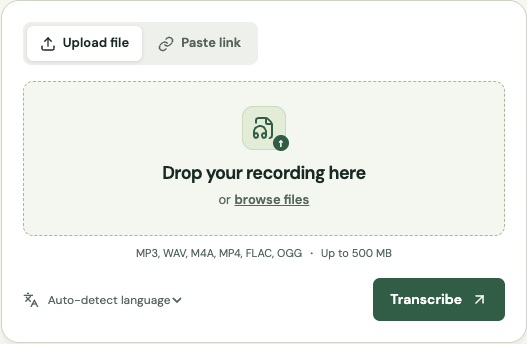
Listen to the first and last few seconds. Pick the original microphone recording over a messaging-app copy.
A practical guide to choosing a source, checking uncertain words and handing off a transcript that someone else can use.
MP3, WAV, M4A, MP4, FLAC, OGG · Up to 500 MB
STEP 01Listen to the first and last few seconds. Pick the original microphone recording over a messaging-app copy.
 STEP 02
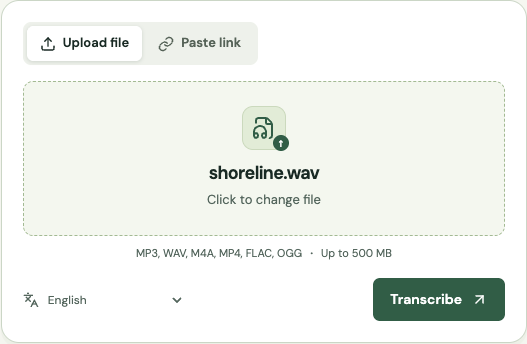
Select the spoken language when you know it. Leave automatic detection on if you are preparing recordings from several different sources.
 STEP 03
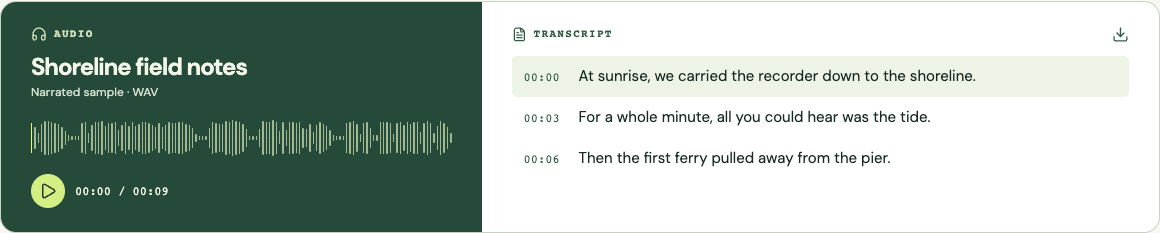
Play each uncertain phrase. Check spellings with your guest, and verify every number before you quote it.
 STEP 04
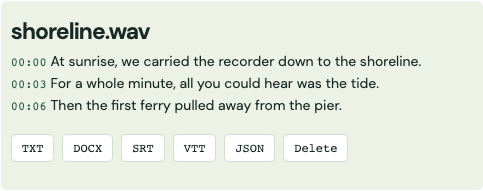
Send DOCX to an editor, plain text to your notes app or SRT to the person cutting the video.
Before starting a technical interview, write down the guest’s name, their organization and any product names likely to come up. Ask for the spelling of unfamiliar terms when you record. Keep this list alongside the transcript for your review. A word processor may happily accept a common surname in the wrong place. A company directory or the title slide for a talk gives you a better reference for the spelling.
When an accent is unfamiliar to you, listen to a complete thought before changing a word. As an example, a speaker may use a local place name several times during a story. The second mention, spoken slowly after a pause, can help you interpret the first. Set the recording language if you know it. That choice cannot settle whether two similar sounding names belong to different people. Mark the time and ask the speaker if the distinction matters.
Record one ordinary sentence at the distance you expect to use for the conversation. Put on headphones, turn away from the person talking and listen only to the playback. Can you hear the ends of words? Does a laptop fan become louder during pauses? Move the microphone closer and repeat the same sentence. Comparing the two short recordings is more informative than judging the live voice while you can also hear it in the room.
If the interview has already happened, look for a second source before applying filters. A remote guest may have recorded locally, or the meeting host may have saved separate tracks. Listen to a quiet answer and a loud interruption from each source. Keep the version where both voices remain intelligible. Heavy noise removal can make a file sound quieter while also cutting the soft beginning of a word you need to quote.
Overlapping speech needs a different review. Play the interruption once for each speaker and note where you can follow the turn with confidence. If the question and answer lie on separate channels, listen to each channel on its own in your editor. In the working transcript, a note such as “[voices overlap at 08:12]” lets the next reader find the problem. Filling in a plausible answer would make the passage look more certain than the recording allows.
Choose a transcript when exact wording, timestamps or quotations matter. Use a summary for decisions and action items. For interviews, make the transcript first and link each summarized claim to the original passage so your editor can verify it.
Imagine a planning call where a producer says, “We can deliver on Thursday if the illustrations arrive by Tuesday.” In a transcript, keep the whole sentence and check the two weekdays. In a summary, you could write “Thursday delivery depends on receiving illustrations by Tuesday” and attach the time of the exchange. Cutting the sentence down to “Thursday delivery confirmed” changes what the producer promised.
Choose the format before doing a long line edit. Someone looking for one decision may need a short note with two supporting timestamps. A researcher comparing how people describe an experience may need pauses, repeated phrases and the interviewer’s exact question. Give the two documents distinct filenames. An editor opening a summary days later should be able to tell which lines are paraphrases and where to go for a quotation.
For a caption track, return to the timing as well as the wording. Open the subtitles in the player that will publish the video, watch through a change of speaker, and check the last line against the final edit. Removing a ten-second introduction from a video shifts every later cue if the subtitle file still follows the original recording. Export the captions against the delivery cut whenever possible.
A reviewer spends time replaying ambiguous words, checking attribution, researching names and applying a consistent verbatim style. Budget for a human review when a quote will be published, testimony disputed or a technical term used to make a decision. For personal notes, review the key passages yourself and keep uncertainty visible.
Send the reviewer a short sample with a realistic mix of voices. Say whether you want every false start, a clean reading copy, speaker names, timestamps for each turn, or captions timed to a finished video. Two people can quote different prices for the same hour of audio because one is budgeting for a light proofread and the other for repeated listening and a second pass through every cue.
For internal meeting notes, one participant can often check the decisions and assigned tasks against the draft. For a published interview, give someone responsibility for listening to every passage you will quote, including the question that prompted it. Where a formal process requires a certified transcript or a particular notation standard, ask the receiving organization what it accepts before commissioning the work. A readable file alone cannot establish that it meets their requirements.
A practical handoff includes the original recording, the untouched machine draft, the corrected copy and a short list of unresolved passages with times. Keep corrections separate from stylistic edits. Changing the spelling of a verified name is straightforward. Removing a hesitation in the middle of a disputed answer is an editorial choice. Write down that choice so the next person reviewing the transcript knows what happened.
Give an editor a time reference and a specific question. “Can you hear whether she says fifteen or fifty at 06:42?” is easier to resolve than a paragraph highlighted without explanation. If the speaker is available, send the short question with enough surrounding context for them to recognize the moment. Write their clarification in an editorial note so a reader can distinguish it from speech captured on the day.
When a passage stays unclear, agree on one notation and use it consistently throughout the document. Keep an untouched copy of the recording under a stable filename. If you share a shorter excerpt with a reviewer, tell them where its local timestamp falls in the full interview. For a final check, ask someone who did not make the edits to locate a quotation using only your filename and time reference. If they land on the right sentence, the handoff contains what the next reader needs.
Maintained by Get Audio Transcript · Updated
Trim long breaks and check that the quietest speaker is audible. Keep an untouched original so you can verify edits.
Review names, dates, prices and decisions. A single wrong digit can change the meaning of an otherwise readable paragraph.
Preserve them for verbatim quotations. For a reading copy, remove fillers only when doing so keeps the speaker’s meaning intact.
Choose DOCX for tracked edits, TXT for a writing app or SRT when the text has to follow a video.